
Nafath 2026: How Number & Biometric Verification Work, Where to Use It Safely
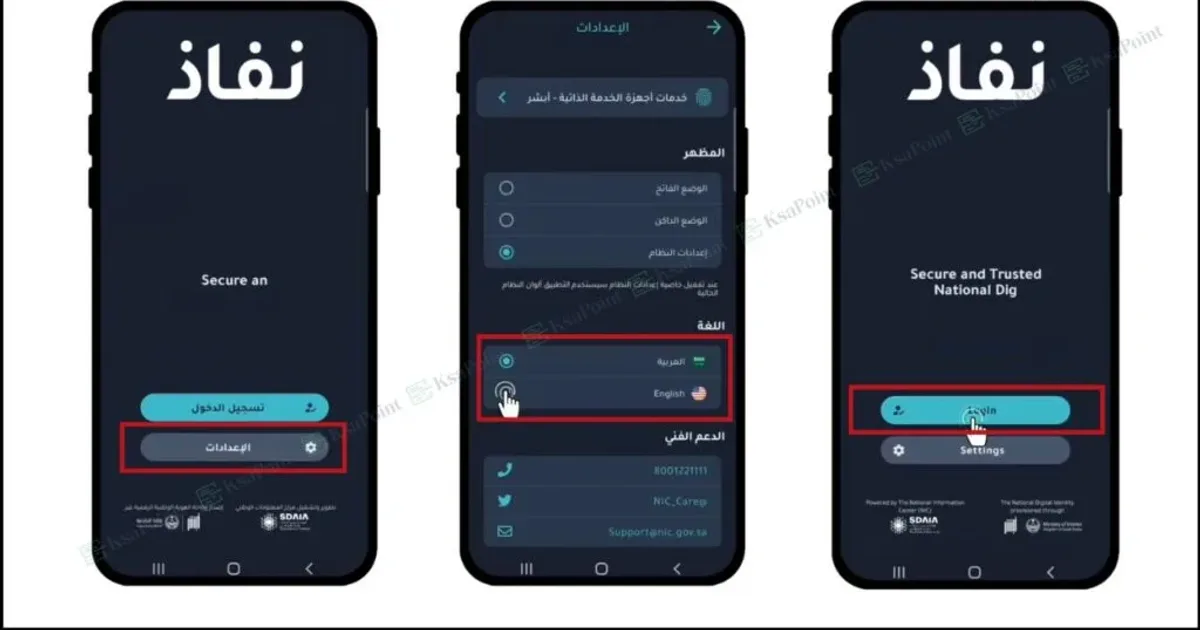
The Nafath app is Saudi Arabia’s unified digital identity for citizens and residents. It serves as the mobile front-end for the National Unified Access (Nafath) platform, operated by the Saudi Data and AI Authority (SDAIA) through the National Information Center. A single account linked to Absher grants access to hundreds of government and private services without creating multiple passwords. (Source: Service Details | Biometric Verification Service)
How does number-based verification work in the Nafath app?
When you access a service connected to Nafath, you enter your national ID or Iqama number on the entity’s page. A multi-digit number appears on screen with a prompt to open the app. Opening Nafath on your phone reveals a pending request; you confirm by selecting the exact same number shown on the website. Matching the two numbers binds the session to your device and prevents impersonation: if you receive a request showing a number you do not see in front of you, someone else is trying to log in as you. (Source: NAFATH User Guide PDF – Ministry of Human Resources ...)
How does biometric authentication (face and fingerprint) work?
SDAIA provides a high assurance level through multi-factor authentication (MFA) that includes face recognition, fingerprint scanning, a personal PIN, and a one-time password (OTP). These biometrics are used to activate the app for the first time and to approve high-value transactions such as digital signatures and legal consents under the Electronic Transactions Law. (Source: School Suspension Today in Saudi Arabia… How to Know the Official Decision? – Alweeam Newspaper)
What are the steps to obtain and activate the Nafath app?
- Update your mobile number in Absher (confirmation messages are sent there).
- Download the app only from the official Apple App Store or Google Play Store (never from links in messages).
- Open the app and sign in with your Absher credentials (username and password).
- Complete biometric activation: face and/or fingerprint, and set a personal PIN.
- Enable a screen lock on your phone (biometric or passcode), since the app is the key to all your services.
Where is Nafath used in daily life? (Key connected entities)
SDAIA links Nafath to a broad range of government and private platforms, including:
- Government services: Sehhaty platform (Ministry of Health), Jadarat employment platform (Ministry of Human Resources), Etimad procurement platform (Ministry of Finance), Balady platform (Municipal Affairs), EjAR, Najiz portal (Ministry of Justice), General Organization for Social Insurance, Qiwa and Madad platforms.
- Education: Madrasati platform, Noor System, Saudi universities (e.g., Jouf University and Qassim University for their academic portals).
- Private sector: Saudi banks (banking services and account opening), insurance companies, telecom operators (e.g., stc for issuing SIM card verification codes via the National Access portal), delivery apps, e-commerce stores.
What is the difference between Nafath and Absher?
Absher is the Ministry of Interior’s service platform (passports, traffic, civil affairs). Nafath is the "Single Sign-On (SSO) key" that uses the Absher account as its identity source, then grants access to services from other entities (health, education, banks, courts…) without separate registration. In short: Absher issues the identity; Nafath connects it to services.
How to protect your Nafath account from hacking and phishing?
- Never confirm a request you did not initiate: confirming means allowing someone to log in as you.
- Never share the on-screen number, your PIN, or the OTP with anyone claiming to be from a government agency or bank.
- Check the entity name shown in the authentication request inside the app before tapping "Confirm".
- Regularly review the login history in the app and remove trusted devices you no longer use.
- Update your mobile number in Absher immediately after changing it, because activation and verification codes are sent there.
Key figures
- 32 million digital identities issued via Nafath (per the Assistant Minister of Interior for Technical Affairs, cited by Okaz newspaper, 2026)
- High assurance level legally recognized for digital signatures and approval of critical transactions (Electronic Transactions Law)
- Standard integration protocols: SAML 2.0 and OpenID Connect for developers and service providers
Bottom line and what to watch
Nafath has become the standard gateway to services in Saudi Arabia. Install the app from the official store, enable biometrics and a PIN, and review your login history regularly. Follow SDAIA updates for new assurance levels (such as the legally recognized digital identity for remote signing), and always keep your Absher mobile number current — it is the recovery gateway and the channel for verification codes.