
Contactless Payment Apps in Saudi Arabia: Apple Pay and Tap to Pay Explained
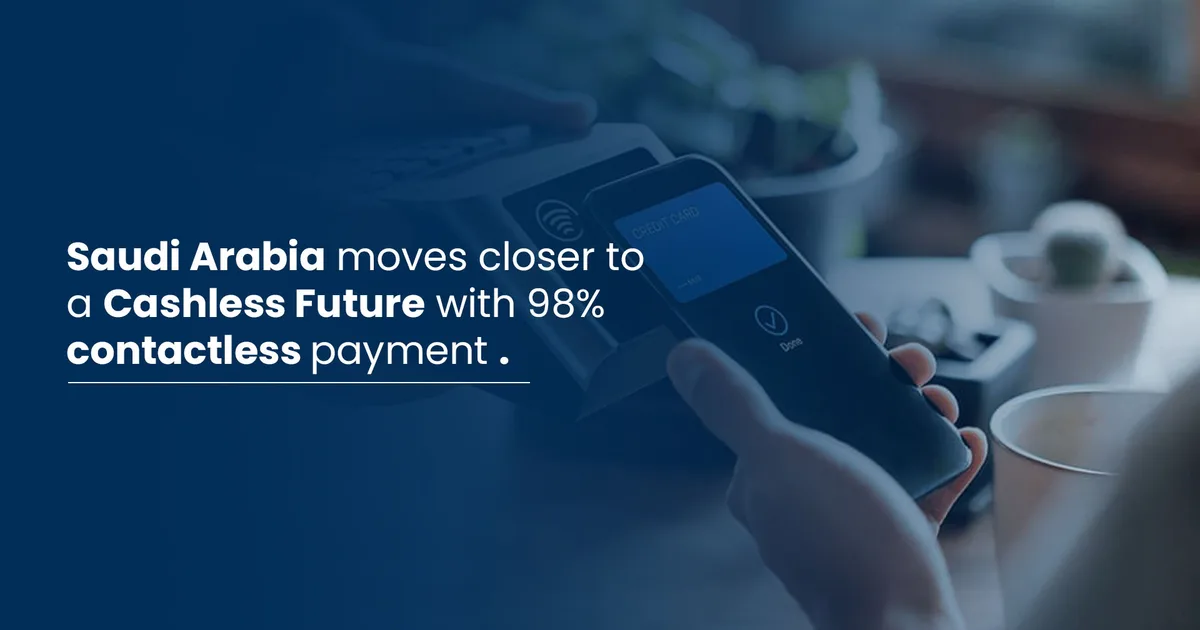
The Saudi Central Bank (SAMA) announced in September 2026 that Tap to Pay on iPhone will soon launch across the Kingdom, turning compatible smartphones into point-of-sale terminals without extra hardware. This guide covers how contactless payment apps work in Saudi Arabia, how to add your card, and what is coming next.
What are the main contactless payment apps in Saudi Arabia?
Digital wallets in Saudi Arabia link your mada or credit cards to your smartphone for checkout. Available options depend on your device and issuing bank.
According to Arabhardware, Apple Pay has relied on NFC technology since 2014, letting users add debit and credit cards to Apple Wallet for in-store and online purchases (Arabhardware). These digital wallets also support contactless payments tied to the national mada payment network.
Here is a quick comparison of mobile payment options:
| App | Supported devices | Accepted cards |
|---|---|---|
| Apple Pay | iPhone, Apple Watch, iPad | mada and credit cards from participating banks |
| Google Pay | NFC-enabled Android devices | mada and credit cards from participating banks |
| Samsung Pay | Galaxy phones and Samsung smartwatches | Cards from participating banks |
| mada Pay | Supported smartphones | mada cards |
To find the right fit, check your bank's website to see which cards each digital wallet supports.
How does the new Tap to Pay on iPhone service work?
Tap to Pay lets merchants accept payments directly on NFC-compatible iPhones, eliminating the need for a traditional point-of-sale terminal.
The Saudi Central Bank (SAMA) unveiled the service at the Money20/20 Middle East conference, held at the Riyadh International Convention and Exhibition Center in Mulham from 14 to 16 September 2026 (SAMA).
Once launched, merchants will be able to accept mada cards and other contactless-enabled cards and digital wallets. Customers simply tap their phone or card against the merchant's iPhone, creating a secure, streamlined checkout experience (SAMA).
This builds on SAMA's broader push to upgrade the mada digital payments infrastructure, following the rollout of SoftPoS software-based point-of-sale technology in 2021 (SAMA).
How do you add a mada card to Apple Pay?
You can add your card through your bank's app or directly inside the Wallet app on your phone.
Apple Pay replaces your actual card details with a secure digital token. Your sixteen-digit card number and CVV security code are never stored on company servers or shared with merchants, according to Arabhardware (Arabhardware).
To add your card, follow these steps:
- Open your issuing bank's app on your phone and log in.
- Go to the account or card management section.
- Select "Add Card to Apple Wallet" or the equivalent option.
- Choose the card you want to add and tap continue.
- Alternatively, open the Wallet app on your iPhone, tap the (+) icon, enter your card details manually or scan it with the camera, and follow the prompts.
To pay in-store with a Face ID-equipped iPhone, double-click the side button, look at the screen to authenticate, and hold the phone near the reader. On an Apple Watch, double-click the side button and hold the watch near the reader (Arabhardware).
How do you use Google Pay and Samsung Pay on Android?
You need an NFC-enabled Android device, the relevant wallet app, and a linked bank card.
For Google Pay, your device must support NFC and run version 5.0 or later. Open the app, sign in with your Google account, add your mada or credit card, and follow the on-screen instructions to complete setup.
Samsung Pay works on Samsung phones and smartwatches for in-store, online, and in-app purchases. To activate it, download your bank's app from the Play Store or Galaxy Store, log in, locate your card, go to the add options, and select "Add to Samsung Wallet."
Your choice between the two depends on your phone. Samsung Pay comes built-in and fully integrated on Samsung devices, while Google Pay covers most other NFC-capable Android phones.
Is mobile payment safe in Saudi Arabia?
Yes. These services use multiple layers of protection to prevent your real card data from being shared with merchants or stored openly on your device.
Digital wallets rely on tokenization, replacing your actual card number with a device-specific payment token so true card details are never stored or shared during a purchase (Arabhardware).
Transactions also require biometric authentication before any payment goes through, whether via fingerprint (Touch ID), facial recognition (Face ID), or your phone's passcode (Arabhardware). Each app uses its own encryption systems to protect data and one-time payment tokens.
- Tokenization: Using a substitute code instead of your real card number.
- Biometric verification: Requiring a fingerprint or face scan before every purchase.
- Encryption: Securing data exchanged between your phone and the point-of-sale terminal.
The biggest risk is losing the device itself. If your phone goes missing, use remote tracking services to lock or wipe it, and contact your bank immediately to suspend the added card. Never share the SMS verification code sent when adding a card with anyone.
How does the SADAD government payment system connect to digital payments?
The SADAD payment system serves as the backbone linking government entities to banking channels for electronic revenue collection.
The Ministry of Finance connected its systems to SADAD on 23 August 2009, making it easier to pay fees through all available banking channels across the Kingdom (Ministry of Finance). Cabinet Decision No. (172), issued on 25/5/1428H, mandated that any automated program for collecting state revenues must operate through SADAD, implemented by the Ministry of Finance in coordination with the Saudi Arabian Monetary Authority (now the Saudi Central Bank) (Ministry of Finance).
The system enables collections seven days a week for fourteen hours a day, helping agencies offer modern electronic payment services instead of traditional methods (Ministry of Finance). The Ministry of Finance also provides mobile apps for round-the-clock access to its services (Ministry of Finance).
Key figures
- SoftPoS launch: 2021 by the Saudi Central Bank (SAMA).
- Tap to Pay on iPhone announcement: September 2026 at Money20/20 Middle East (SAMA).
- Global Apple Pay launch: 2014 (Arabhardware).
- Ministry of Finance integration with SADAD: 23 August 2009 (Ministry of Finance).
- Cabinet decision adopting SADAD: No. 172 dated 25/5/1428H (Ministry of Finance).
What should you do next?
Keep your phone's operating system and banking app updated to ensure compatibility with digital wallets. Watch for official announcements from the Saudi Central Bank (SAMA) regarding the exact launch date of Tap to Pay on iPhone if you plan to accept payments as a merchant or service provider. As the mada network continues to expand, always keep biometric locking enabled on your phone to protect your added cards.